Case Study
A Digital Presence Worthy of Its Legacy
The Project
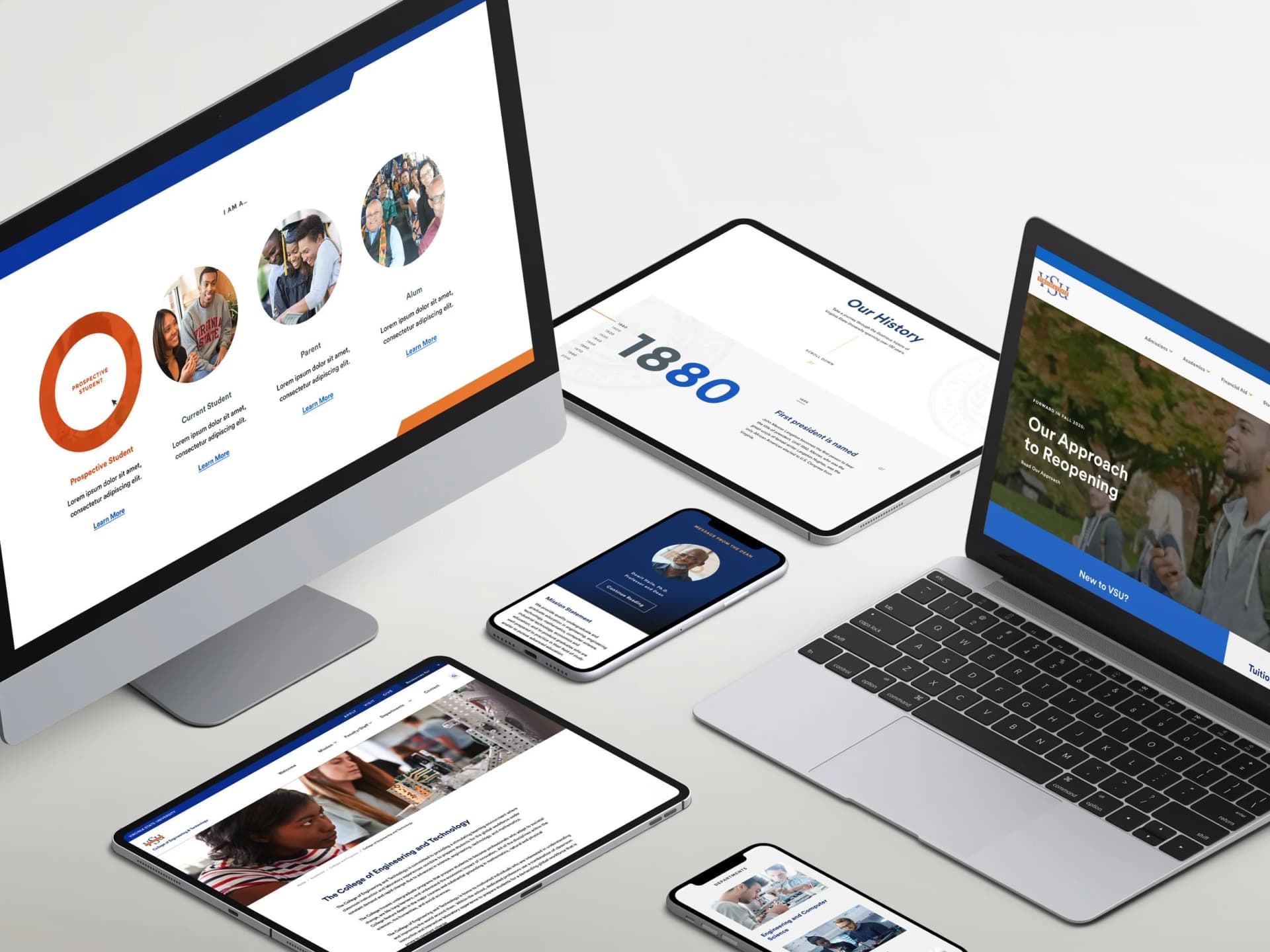
As UX Lead, I directed end-to-end research and design strategy for Virginia State University's digital transformation — a remote engagement conducted during COVID in 2020, partnering with a UX Architect to modernize one of the nation's longest-running HBCUs.
The scope was substantial: 100+ pages organized across six primary navigation trees, serving five distinct audience groups with fundamentally different needs and mental models.
The tools were Sketch, Craft, and InVision. The challenge was far larger than the toolset.
The Opportunity
Virginia State University holds a distinguished legacy as one of the nation's longest-running HBCUs. But in 2020, its web presence reflected a 2009-era experience — a gap that mattered more than ever in a competitive higher education landscape.
01 — The Gap
Higher education is a buyer's market. Prospective students evaluate institutions digitally before they ever set foot on campus. VSU was competing alongside peer HBCUs — Howard, Hampton, Spelman — with a site that couldn't tell its story or serve its community.
02 — The Mission
The goal wasn't just a visual refresh. It was rebuilding the digital ecosystem to serve a diverse audience, reinforce brand equity in a crowded landscape, and capture the spirit of campus life — all without sacrificing accessibility compliance.
Research & Personas
Research began with a hypothesis-driven survey methodology across all five audience groups — each with different goals, different entry points, and different definitions of success on the site.
Navigating academics, registration, campus resources. Efficiency above everything.
Evaluating VSU against peer institutions. First impression is the only impression.
Seeking safety, cost, and outcomes information. Trust-building at every step.
Giving, reconnecting, staying engaged. Emotional connection over utility.
Administrative access, departmental visibility, institutional tools.
When debates arose about navigation priorities or content hierarchy, we could return to the personas and ask: "Who are we solving for here, and what do they actually need?"
The five personas weren't deliverables — they were instruments. They shaped every IA debate, every navigation tradeoff, every content priority. A persona that sits in a deck and never gets referenced again isn't a design tool. It's a document.
Despite their differences, all five audiences shared a single primary goal: find information efficiently. That shared need became the governing principle for every architectural decision that followed.
Information Architecture
A site of this scale can't be designed page by page. We moved to a template-based architecture — designing systems, not screens — and made three structural decisions that shaped everything else.
VSU's content hierarchy was genuinely complex — six primary navigation trees serving audiences with completely different needs. A conventional nav would bury content or force users into deep drilling.
The mega-nav surfaced secondary destinations at the top level, reducing cognitive load without hiding complexity.
Reduced browsing depthAnalytics told us ~80% of homepage traffic had the same intent: find email, find directory, find portal. That intent was being sent into the main nav to compete with prospective student content.
The utility header gave returning users a dedicated lane — and freed the main nav to speak to new audiences.
80% of traffic intent, one clickEach of VSU's colleges had its own identity, its own content needs, its own audiences. A fully centralized nav would erase that. Full autonomy would fracture the experience.
College-specific navigation instances preserved university-wide consistency while giving each college room to breathe.
Consistency + autonomyExecution
Outcomes
5
Audience groups
served and validated
100+
Pages architected
via template system
508
Compliant — first
higher ed engagement
Reflection
Accessibility isn't a compliance checkbox. It's a design lens. And every time we made a decision that served compliance, it almost always served clarity too.
This project also reinforced something about how I think about scale: strategic template systems outperform page-by-page design every time. And proactive stakeholder engagement isn't a soft skill — it's as critical as the design work itself.